
1.1 Login Process for Veya CMS
In this article group
- 1.2 How to Recover Access to the CMS
- 1.3 Exploring the Dashboard and CMS
- 1.4 Select Your Brand with the Tenant Filter
- 1.5 Overview of Pages and Layouts
- 1.6 Save a Draft, Preview and Publish
- 1.7 Preview Page Changes Across Devices
- 1.8 Restore a Previous Page Version
- 1.9 Upload and Organize Images in the Media Library
- 1.10 Image & Size Specs for Content Layouts
This article explains how to log in to the Veya CMS platform securely. You will learn the steps to enter your email and password and successfully access your account.
Go to cms.builtonveya.com
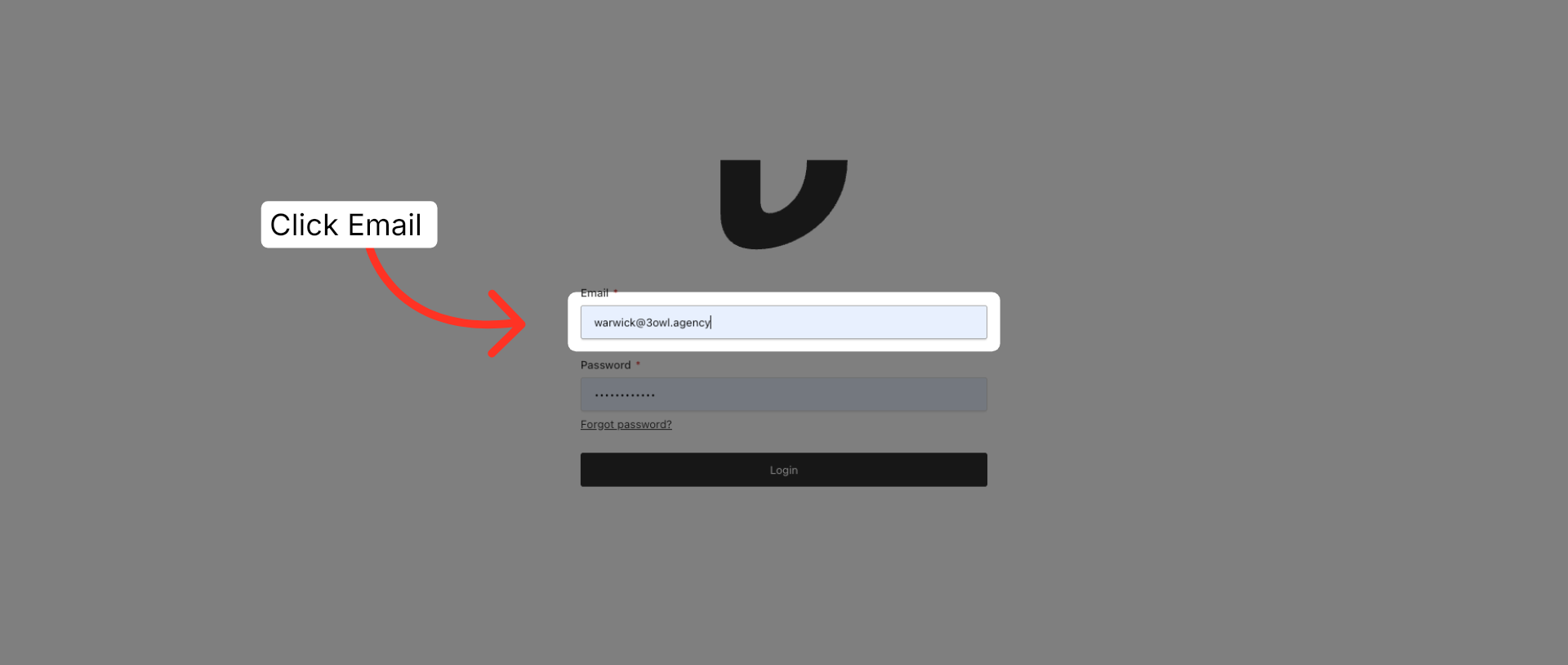
1. Select Email Field
To Login visit: cms.builtonveya.com, then click the Email field to begin entering your login information.
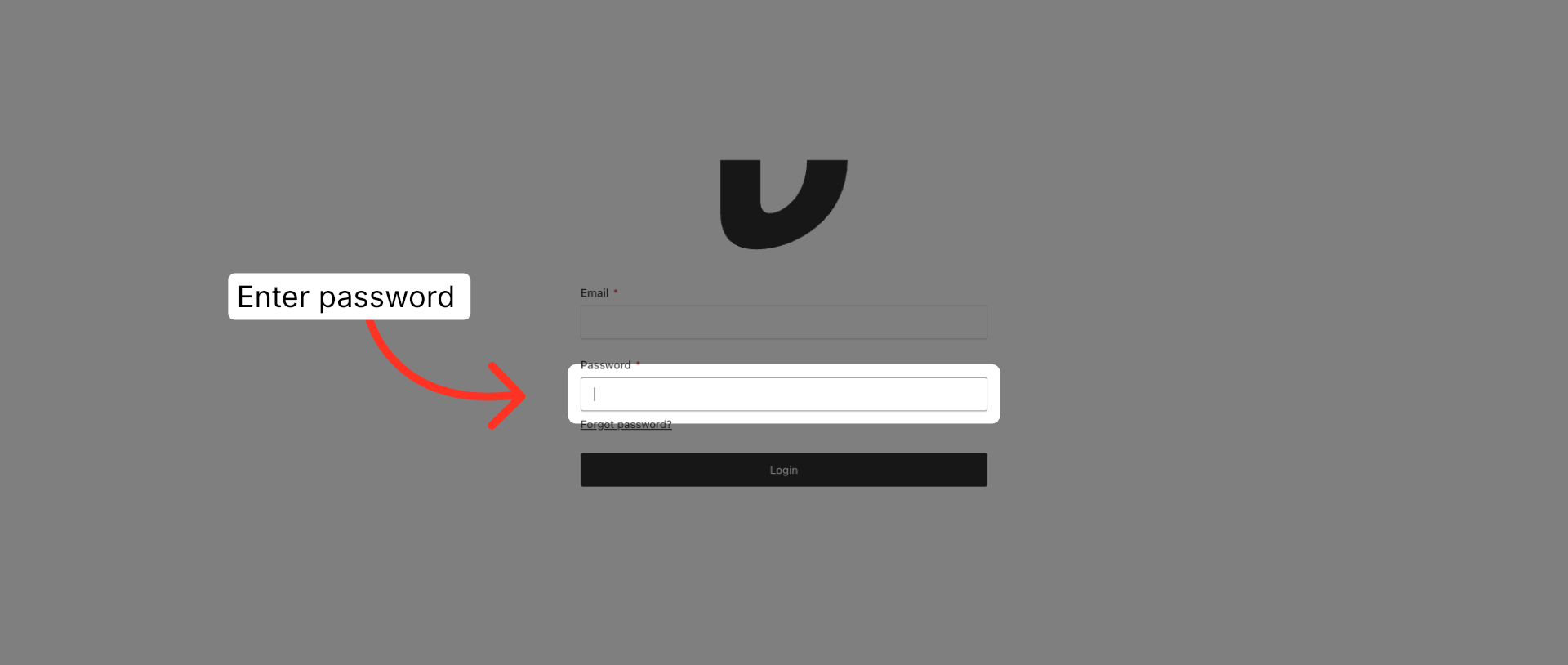
2. Enter Password
Add your password to the password field.
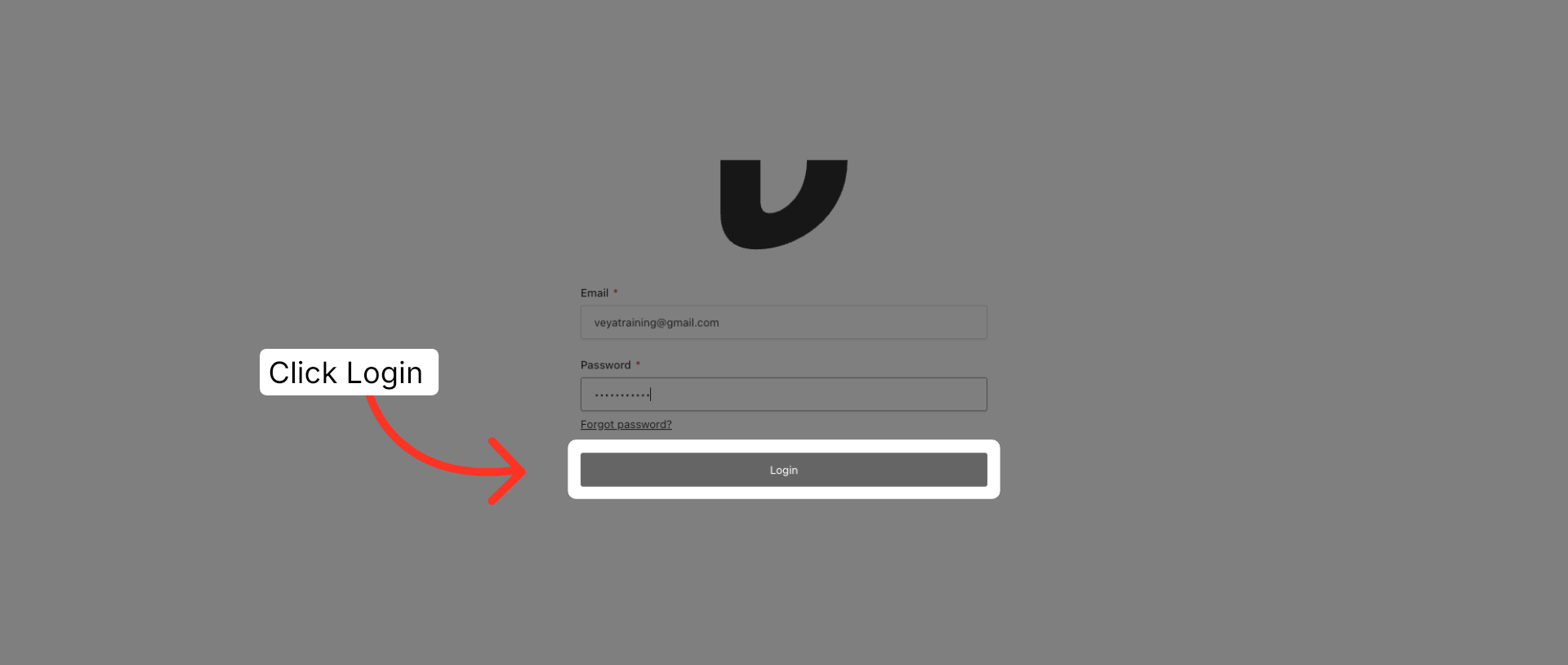
3. Click Login Button
Click the Login button to submit your credentials and access your account.
This article guided you through the login process by entering your email and password, then submitting the form to access your account. For more information, see related articles in the Getting Started section of our knowledgebase.